
Private diary and journal apps compared: we tested the top Android picks
Disclosure first: we make Vibe Diary, one of the apps below, and it is tiny next to the others (50+ installs against millions). That is why we kept the test simple and fair: the same entry, the same phone, the same day, free tier only, and the actual screens, including where our app falls short.
How we tested
- When and where: November 5, 2026, on an Android phone. We took the top US Google Play results for "diary", "personal journal" and "journal".
- The apps: the top three for "diary" (they also rank high for both journal searches), plus Day One, the best-known dedicated journal. Simple Journal ranks second for "personal journal" but isn't available in our test country, and Google's Journal only installs on Pixel phones, so we left both out.
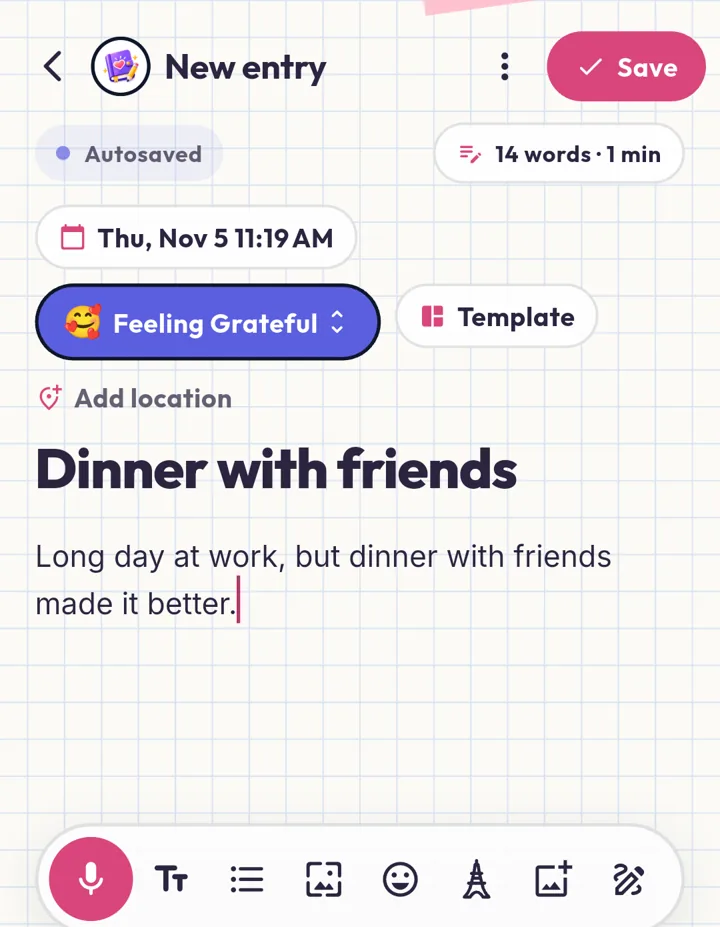
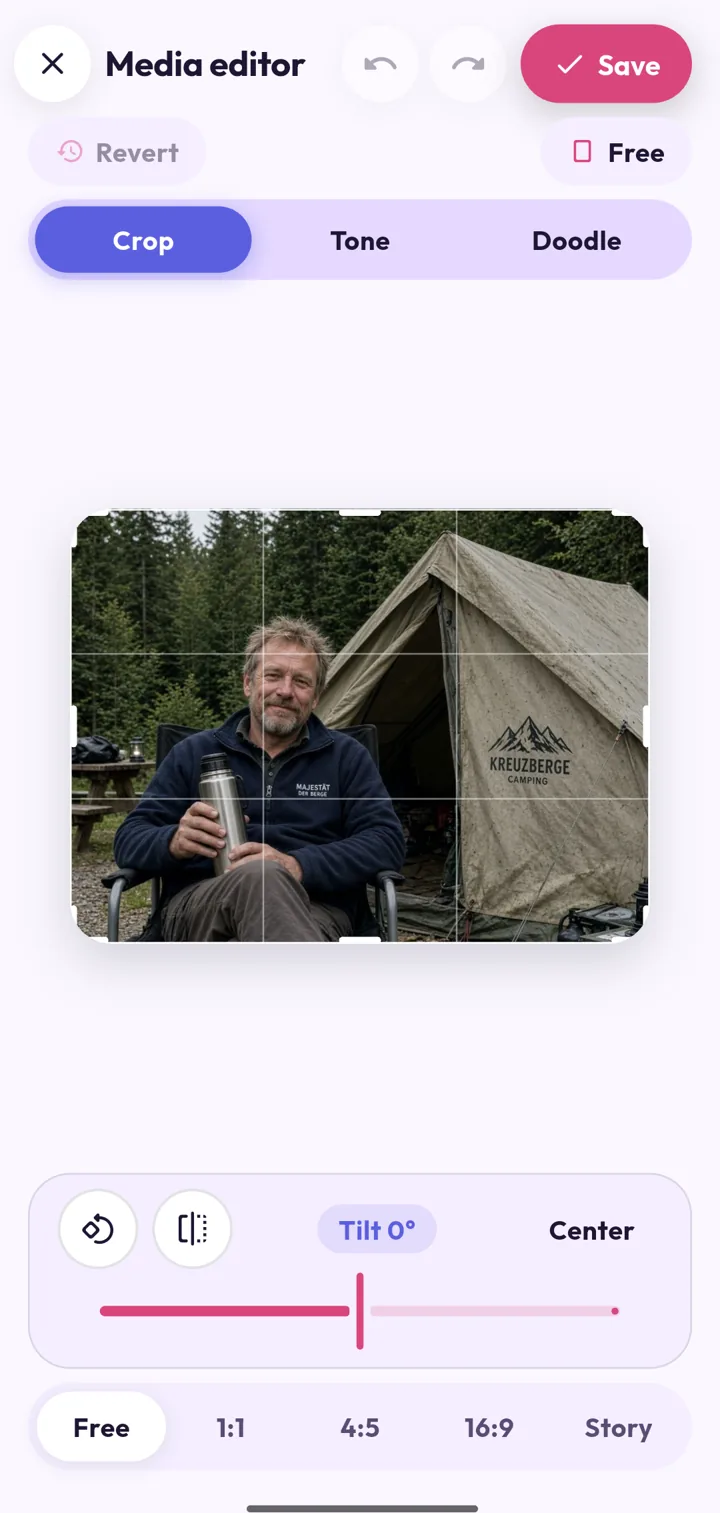
- The same entry everywhere: title "Dinner with friends", text "Long day at work, but dinner with friends made it better.", a happy mood, and one photo (an AI-generated campsite picture, no real person).
- Free tier only. No accounts, no sign-ins, no passcodes set, no purchases, no trials, and every permission prompt declined.
- What we judged most: security and privacy, writing and adding options, motivation to keep going, and finding old entries again. We also counted the friction: ads, popups, paywalls and prompts.
The short version
| Vibe Diary | My Diary | Daily Journal (Happy-verse) | Daily Diary (SimpleInnovation) | Day One | |
|---|---|---|---|---|---|
| Play rating / installs | 5 (2), 50+ | 4.7, 50M+ | 4.8, 10M+ | 4.7, 10M+ | 4.6, 1M+ |
| Lock | Passcode + fingerprint or face | Diary lock | Password + security question | PIN | Passcode |
| Encrypted on the phone | Yes, the whole diary database | Not stated | Not stated | Not stated | Not stated in the app |
| Backup | Your Google Drive, encrypted first | Google Drive (auto is Pro) | Google Drive | Google Drive (auto is Premium) | Day One account sync |
| Mood | 8 moods + energy + feeling tags | 10 moods | 12 moods | 5 moods | None |
| Photos, voice, drawing | Photos, videos, voice, drawing, photo editor | Photo, voice | Photo with crop, voice, drawing | Photo only | Photo, dictation (video and audio are paid) |
| Prompts and motivation | Streaks, levels, badges, quotes, breathing | 3-day challenge | Big prompt library, streak, quotes, relax | Streak, templates | Daily prompt, prompt packs, streak |
| Search and memories | Search by mood and tag, map, stats, On This Day | Search, tags, PDF export | Calendar; no search seen | Search, calendar, mood insights | Search, calendar, media, map, On This Day |
| Ads | Banners in the feed and search | Banners (even while writing), video ad on save | Playable ad after saving | None seen | None |
| Biggest friction | Location prompt, banner ads | Video ad on every save | 30-second game ad you can't close | 9-step onboarding, then a paywall | Location and photo-access prompts |
Vibe Diary (ours)
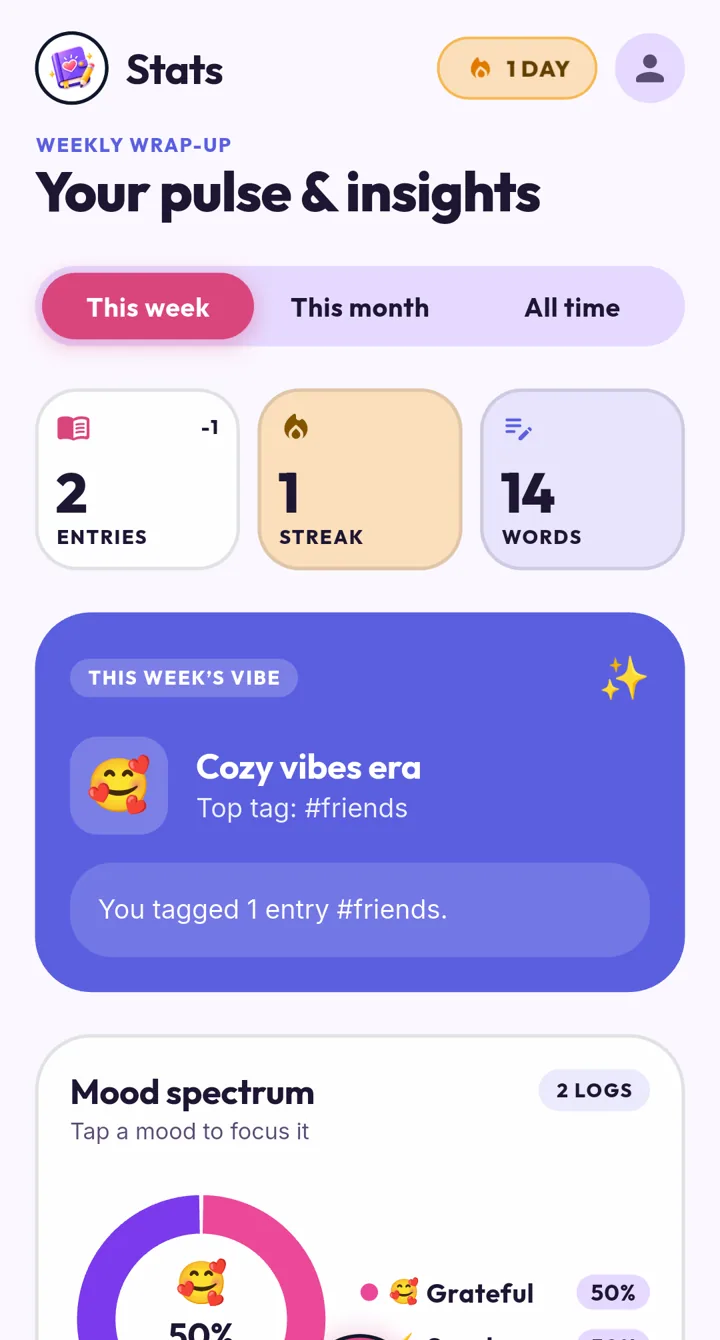
Built to be private first. If you set a passcode, the app opens on the lock screen, and you can unlock with a fingerprint or your face. Underneath, the whole diary database is encrypted with a random key kept in the phone's secure keystore. Backups go to your own Google Drive and are encrypted before they leave the phone, so a backup is exactly as safe as your Google account.
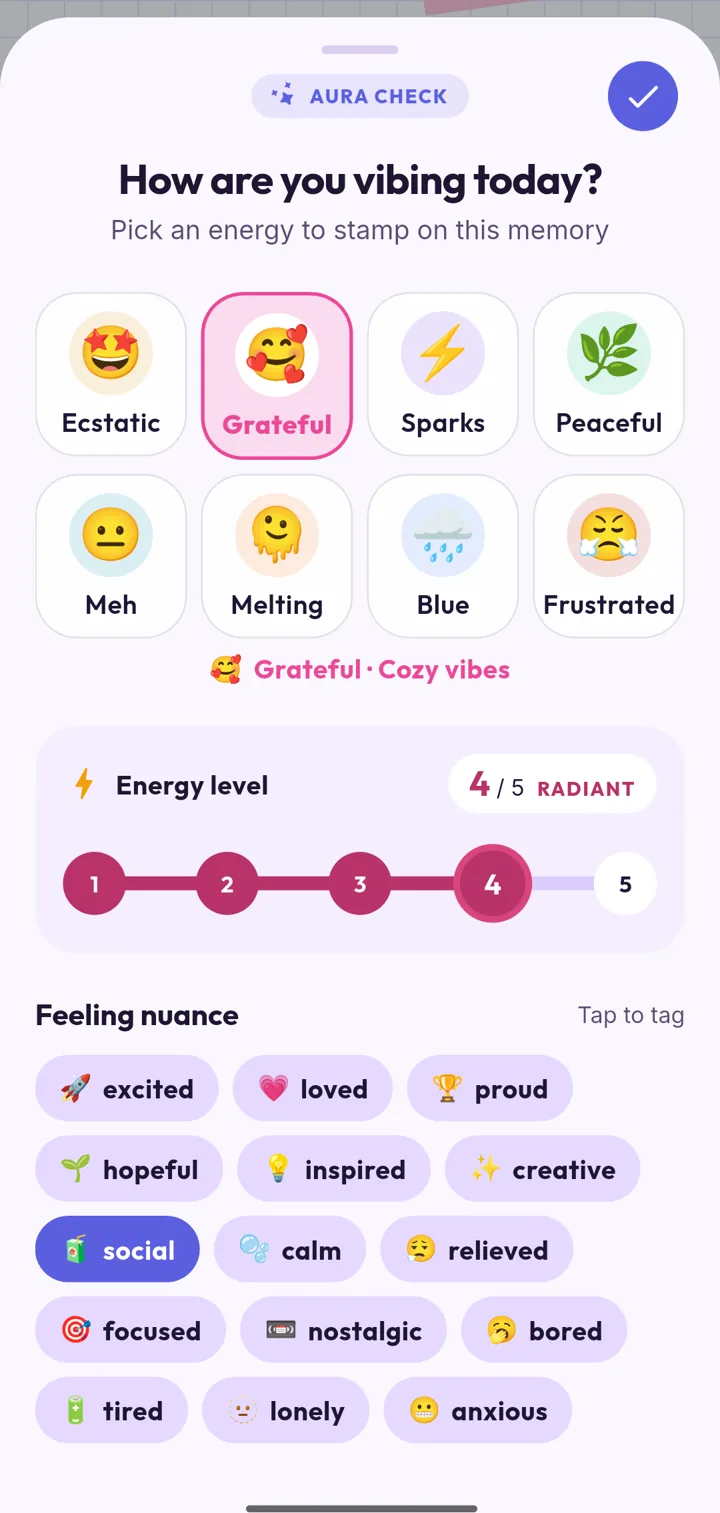
Writing: the mood check is the most detailed in this test. Pick one of 8 moods, set an energy level from 1 to 5, and add feeling tags like "social" or "tired".
Then write, with autosave and a word and reading-time counter. Tap a tag chip like #friends, and add up to 3 photos and 2 videos per entry, voice, drawings, stickers or a template. Photos open in a small editor with crop, tilt, tone and doodle.
Motivation: streaks, levels, XP and badges, a morning mood check-in, a daily quote and a Breathe tab.
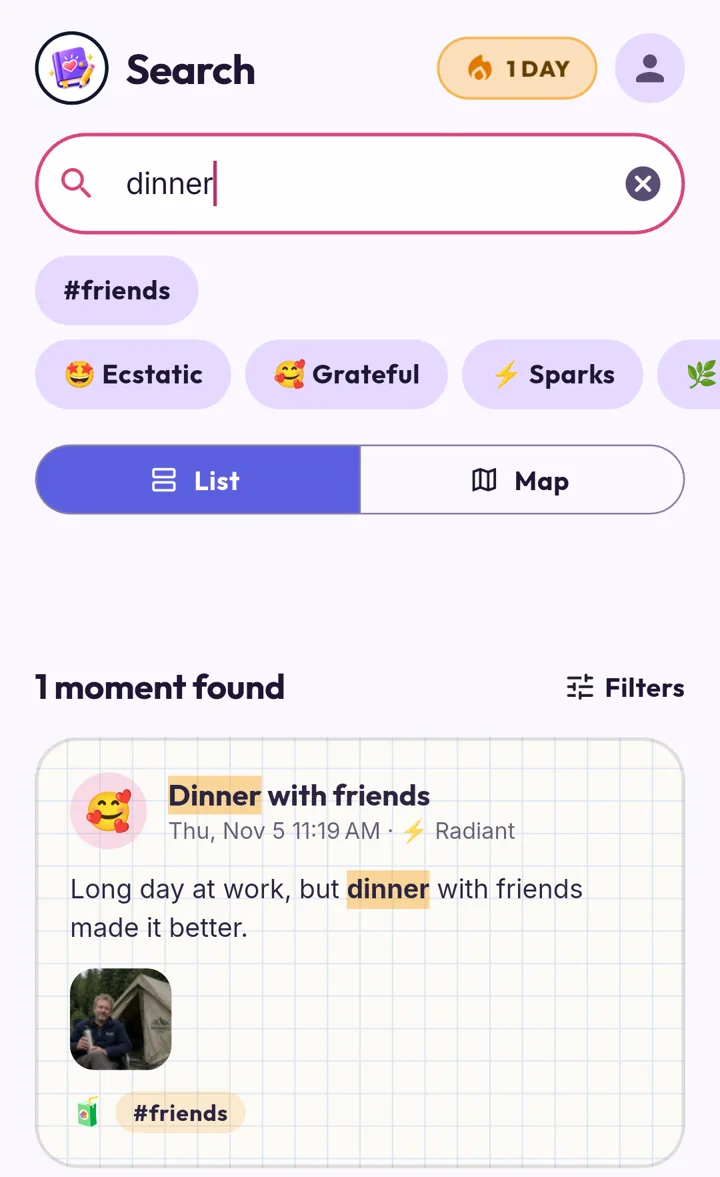
Search and memories: search by words, feelings or tags, with quick filters like "Happy days" or "Rough days", or see entries on a map. The home screen is a mood calendar, the Stats tab shows your mood spectrum, weekly rhythm and where you write, and On This Day brings back past entries on their anniversary. You can export to PDF or Markdown, and even import from Day One.
Where it falls short:
- It's new. Play rating 5 (2), with 50+ installs, so it hasn't had the years of polish the others have.
- Ads: banner ads in the home feed and in search results, removed with Plus. There are no popups or full-screen ads around writing or saving.
- A location prompt on the first entry, like Day One. You can say no and add a place by hand.
- Photo limit: 3 photos per entry on the free tier (5 with Plus).
Good for: a private diary that tracks how you feel in detail and helps you find any day again.
My Diary: Daily Diary Journal


The most downloaded diary on Google Play (50M+). It's cheerful and quick: tap +, pick one of 10 moods, write, add a photo that fills the width of the page, and save. The toolbar has stickers, text styles, lists, backgrounds, tags and voice recording.
Security: a Diary Lock and Google Drive backup. Automatic backup is a Pro feature, so on the free tier you back up by hand.
Motivation: a 3-Day Habit Challenge that promises a "surprise Pro gift", and a "Great!" screen after each entry.
Search and memories: the strongest here after Day One and Vibe Diary. There's search and tags, and each entry can be shared, exported to PDF, pinned to the top, and shows a word count.
Friction: the most ad-heavy app we tested. A popup greets you at launch, banner ads sit on the list and at the top of the writing screen (we saw forex and crypto trading ads), and saving an entry plays a full-screen video ad with sound before the celebration screen.
Good for: people who want lots of decoration and PDF export, and don't mind ads.
Daily Journal: Diary with lock (Happy-verse)


The highest rated (4.8 from 475K ratings). The writing screen has the richest toolbar of the big three: 12 moods, fonts, colours, highlights, stickers, drawing, voice recording, and a photo crop step. There's even an "Auto Style" button.
Motivation: the best prompt library in the test. Tap the light bulb for Question of the day, Daily writing, Self love, Memories, Evening thoughts, Gratitude and more, or "Surprise Me". There's also a day streak, a Relax tab, daily quotes, reminders and a home-screen widget.
Security: a password with a security question for recovery, and Google Drive backup.
Search and memories: a calendar or list view and per-entry sharing, but we didn't find a search box on the main screen.
Friction: after the first entry, a "Liking this app? No / Yes" prompt appears, and only a Yes leads toward the store. Leaving the entry then played a full-screen game ad for about 30 seconds with no close button; the Back button didn't work either.
Good for: people who like prompts and creative pages, if they can live with the ads.
Daily Diary: Journal with Lock (SimpleInnovation)


Inside the app it calls itself "My Diary", which is easy to confuse with the app above. Writing is clean and calm: 5 moods, title, text, photos, templates, text styles and stickers. There's no voice recording.
Security: a PIN and Google Drive backup; automatic backup is Premium.
Motivation and memories: a tidy Insights tab with entries, moods, a weekly streak bar and mood trends, plus a search box and a calendar. Entries can't be shared or exported one at a time (the entry menu only has Delete).
Friction: the longest start. A 9-step onboarding asks for your name and more (every step can be skipped), then a paywall appears before you've written anything: monthly, yearly with a 1-week trial, or a lifetime price. We saw no ads during the test, although the listing says it contains ads.
Good for: a calm, ad-light diary with mood insights.
Day One Diary: Daily Journal


The serious writer's journal. No ads at all, and the writing screen is a clean page with real formatting: headings, bold, italic, underline and links. You can add photos, dictate, tag, add a location or start from a template. Video, audio and PDF attachments need Day One Gold. There's no mood tracking.
Motivation: a daily prompt you can shuffle, prompt packs, streaks and reminders.
Search and memories: the best of the competitors. There's search, plus List, Calendar (each day shows its photo), Media and Map views, and On This Day, which brings back entries from the same date in past years.
Security: a passcode. Syncing between devices needs a Day One account.
Friction: low. The first entry asked for location access, and adding a photo asked for full photo-library access to read where photos were taken (you can skip it).
Good for: long-form writing and looking back over years, if you don't need moods.
Which one should you use?
- You want the most privacy: Vibe Diary encrypts the whole diary on your phone and encrypts backups before they leave it.
- You write long entries and love looking back: Day One.
- You want prompts to get you writing: Daily Journal (Happy-verse), if the ads don't bother you.
- You want lots of decoration and PDF export: My Diary.
- You want a calm diary with mood insights and few ads: Daily Diary (SimpleInnovation), once you're past the paywall.
- You want to track how you feel in detail and find any day again: Vibe Diary.
Tested November 5, 2026. Apps change often; if something here is out of date, email roastifygenai@gmail.com and we'll update it.
More guides
AI roast generator apps compared: we tested the top Android picks